
記事をトップに固定-featured-post
公開日:2014年10月25日
更新日:2014年10月26日
WordPressでおすすめ記事をトップに固定する方法。
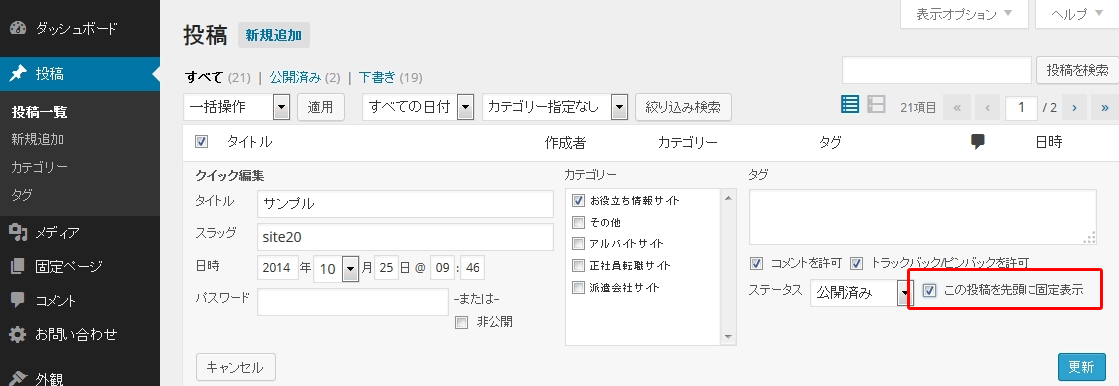
管理画面の「投稿一覧>クイック編集」で「この投稿を先頭に固定表示」をチェック。
index.php もしくは フロントページ用テンプレート
「is_sticky()」は「先頭に固定表示記事」か判定。
「get_template_part( ‘content’, ‘featured-post’ );」でコンテンツ表示用テンプレート「content-featured-post.php」読み込み。
<?php
global $wp_query;
$args = array('post__in' => get_option( 'sticky_posts' ));
query_posts( $args );
?>
<?php if ( have_posts() ) : while ( have_posts() ) : the_post(); ?>
<?php
if(is_sticky()) {
  get_template_part( 'content', 'featured-post' );
}
?>
<?php endwhile; endif; ?>
<?php wp_reset_query(); ?>
content-featured-post.php
先頭に固定表示記事表示用テンプレート。お好みでカスタマイズする。
<?php
/**
 * Pickup記事読み込みテンプレート
 */
?>

<article id="post-<?php the_ID(); ?>" class="excerpt article pickup">
	<div class="post-box">
		<header class="post-header">
			<?php
				the_title( '<h1 class="post-title"><a href="' . esc_url( get_permalink() ) . '">', '</a></h1>' );
			?>
		</header><!-- .post-header -->

		<div class="post-summary">
			<?php the_excerpt(); ?>
		</div><!-- .post-summary -->
		<div class="post-date">
			公開日:<?php the_time('Y/m/d'); ?> <?php the_category(',');the_tags(''); ?>
		</div><!-- .post-date -->

		<?php edit_post_link( '記事の編集', '<p class="edit-link">', '</p>' ); ?>
	</div><!-- .post-box -->
</article><!-- #post-## -->
同じカテゴリーのコンテンツ